Phighting script: Aim Assist, ESP
Phighting script: Aim Assist, ESP
- Author
- Wwordpress-importPublished by
- Access
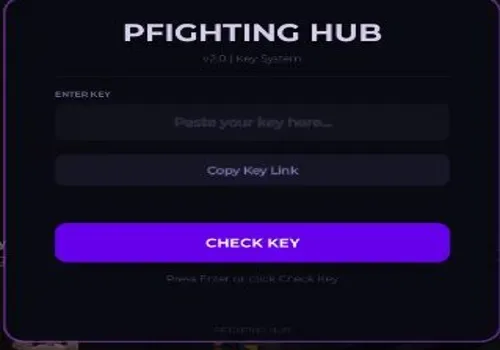
- KEY SYSTEM
- Published
- Updated
- Views
- 0 views
Script Description
Combat Tab Aim Assist – Toggle automatic aiming on or off FOV Mode – Choose between Camera or Mouse based field of view Aim Key – Set which key activates aim assist (default Right Click, rebindable) FOV Radius – Adjust aim assist field of view from 10 to 500 Smoothness – Set aim transition smoo
Combat Tab Aim Assist – Toggle automatic aiming on or off FOV Mode – Choose between Camera or Mouse based field of view Aim Key – Set which key activates aim assist (default Right Click, rebindable) FOV Radius – Adjust aim assist field of view from 10 to 500 Smoothness – Set aim transition smoothness from 1 to 20 Target Part – Select Head, HumanoidRootPart, or UpperTorso as aim target Show FOV Circle – Toggle visual field of view ring on screen Aimbot Mode – Switch between Legit or Ra...
Combat Tab Aim Assist – Toggle automatic aiming on or off FOV Mode – Choose between Camera or Mouse based field of view Aim Key – Set which key activates aim assist (default Right Click, rebindable) FOV Radius – Adjust aim assist field of view from 10 to 500 Smoothness – Set aim transition smoothness from 1 to 20 Target Part – Select Head, HumanoidRootPart, or UpperTorso as aim target Show FOV Circle – Toggle visual field of view ring on screen Aimbot Mode – Switch between Legit or Ra...
Script Functions
92 functions- Combat Tab
- Aim Assist – Toggle automatic aiming on or off
- FOV Mode – Choose between Camera or Mouse based field of view
- Aim Key – Set which key activates aim assist (default Right Click
- Combat Tab
- Aim Assist – Toggle automatic aiming on or off
- FOV Mode – Choose between Camera or Mouse based field of view
- Aim Key – Set which key activates aim assist (default Right Click
- rebindable)
- FOV Radius – Adjust aim assist field of view from 10 to 500
- Smoothness – Set aim transition smoothness from 1 to 20
- Target Part – Select Head
- HumanoidRootPart
- or UpperTorso as aim target
- Show FOV Circle – Toggle visual field of view ring on screen
- Aimbot Mode – Switch between Legit or Rage mode (Rage currently bugged)
- Sticky Aim – Locks aim onto target once acquired
- Aim Prediction – Predicts enemy movement for more accurate shots
- Aim Shake – Adds visual shake effect from 0 to 10
- Exploits Tab
- Extend Hit Range – Enlarges enemy hitboxes for easier hits
- Range Multiplier – Adjust hitbox size multiplier from 2 to 8
- Hitbox Transparency – Set hitbox visibility from 0 to 100 percent
- Noclip – Walk freely through walls and obstacles
- Infinite Jump – Allows unlimited consecutive jumps
- Speed Boost – Increase movement speed from 1 to 5 times normal
- Jump Boost – Increase jump height from 1 to 5 times normal
- Refresh Character – Button to respawn refresh your character
- Reset Character – Button to fully reset your character
- Spawn Jump – Button to perform a spawn jump
- Teleport to Nearest Enemy – Button to instantly move to closest enemy (keybind: T)
- Visuals Tab
- Team Check – Toggle team filtering for all visual features
- ESP Highlight – Toggle glow highlights through walls
- ESP Names – Toggle player name display through walls
- ESP Distance – Toggle distance display through walls
- ESP Health – Toggle health bar display through walls
- Enemy Label – Toggle enemy identification label
- Weapon ESP – Toggle weapon highlight through walls
- ESP Rainbow – Toggle rainbow cycling colors for ESP
- ESP Opacity – Adjust ESP transparency from 0 to 100
- Tracers – Toggle line from camera to target
- Tracer Origin – Set tracer start point at Bottom or Center of screen
- Box ESP – Toggle bounding box around players
- Box Style – Switch between Corners or Full box
- Off-screen Indicators – Show arrows pointing to enemies off screen
- Set Player Color – Choose custom color for player ESP
- Set Team Color – Choose custom color for team ESP
- Hitbox Viewer – Toggle wireframe overlay showing hitboxes
- Fullbright – Toggle maximum brightness
- removes shadows
- No Fog – Toggle removal of environmental fog
- Night Mode – Toggle dark visual filter
- No Particles – Toggle removal of particle effects
- Crosshair – Toggle custom crosshair display
- Stats Tab
- Session Stats – Display kills
- deaths
- KDR
- FPS
- ping
- and session time
- Reset Stats – Button to reset current session statistics
- Interface Tab
- Theme – Choose from 10 themes (Midnight
- Cyberpunk
- Ocean
- Emerald
- Sunset
- Frost
- Blood
- Neon
- Sakura
- Void)
- Rainbow Accent – Toggle rainbow color cycling for UI elements
- Rainbow Speed – Adjust rainbow animation speed from 1 to 10
- Compact Mode – Reduce UI element size for smaller footprint
- Show Array List – Toggle display of active features list
- Array Shimmer – Toggle shimmer effect on feature list
- Config Tab
- Profiles – Save
- load
- delete
- or reset named configuration profiles
- Profile list – Scroll through saved profiles
- Keybinds Info – Display all available keybinds
- Exit Hub – Button that saves profiles and cleans up script
- System
- Auto-save on exit – Profiles automatically persist per Roblox username
- Old profile migration – Automatically detects and converts old generic profiles
- Command bar – Press
- key for commands like /noclip
- /fullbright
- /hitrange
- Minimize – Press Right Control to minimize hub
- Show/Hide Hub – Press K key to toggle hub visibility
- Combat Tab
- Aim Assist – Toggle automatic aiming on or off
- FOV Mode – Choose between Camera or Mouse based field of view
- Aim Key – Set which key activates aim assist (default Right Click
- rebindable)
- FOV Radius – Adjust aim assist field of view from 10 to 500
- Smoothness – Set aim transition smoothness from 1 to 20
- Target Part – Select Head
- HumanoidRootPart
- or UpperTorso as aim target
- Show FOV Circle – Toggle visual field of view ring on screen
- Aimbot Mode – Switch between Legit or Rage mode (Rage currently bugged)
- Sticky Aim – Locks aim onto target once acquired
- Aim Prediction – Predicts enemy movement for more accurate shots
- Aim Shake – Adds visual shake effect from 0 to 10
- Exploits Tab
- Extend Hit Range – Enlarges enemy hitboxes for easier hits
- Range Multiplier – Adjust hitbox size multiplier from 2 to 8
- Hitbox Transparency – Set hitbox visibility from 0 to 100 percent
- Noclip – Walk freely through walls and obstacles
- Infinite Jump – Allows unlimited consecutive jumps
- Speed Boost – Increase movement speed from 1 to 5 times normal
- Jump Boost – Increase jump height from 1 to 5 times normal
- Refresh Character – Button to respawn refresh your character
- Reset Character – Button to fully reset your character
- Spawn Jump – Button to perform a spawn jump
- Teleport to Nearest Enemy – Button to instantly move to closest enemy (keybind: T)
- Visuals Tab
- Team Check – Toggle team filtering for all visual features
- ESP Highlight – Toggle glow highlights through walls
- ESP Names – Toggle player name display through walls
- ESP Distance – Toggle distance display through walls
- ESP Health – Toggle health bar display through walls
- Enemy Label – Toggle enemy identification label
- Weapon ESP – Toggle weapon highlight through walls
- ESP Rainbow – Toggle rainbow cycling colors for ESP
- ESP Opacity – Adjust ESP transparency from 0 to 100
- Tracers – Toggle line from camera to target
- Tracer Origin – Set tracer start point at Bottom or Center of screen
- Box ESP – Toggle bounding box around players
- Box Style – Switch between Corners or Full box
- Off-screen Indicators – Show arrows pointing to enemies off screen
- Set Player Color – Choose custom color for player ESP
- Set Team Color – Choose custom color for team ESP
- Hitbox Viewer – Toggle wireframe overlay showing hitboxes
- Fullbright – Toggle maximum brightness
- removes shadows
- No Fog – Toggle removal of environmental fog
- Night Mode – Toggle dark visual filter
- No Particles – Toggle removal of particle effects
- Crosshair – Toggle custom crosshair display
- Stats Tab
- Session Stats – Display kills
- deaths
- KDR
- FPS
- ping
- and session time
- Reset Stats – Button to reset current session statistics
- Interface Tab
- Theme – Choose from 10 themes (Midnight
- Cyberpunk
- Ocean
- Emerald
- Sunset
- Frost
- Blood
- Neon
- Sakura
- Void)
- Rainbow Accent – Toggle rainbow color cycling for UI elements
- Rainbow Speed – Adjust rainbow animation speed from 1 to 10
- Compact Mode – Reduce UI element size for smaller footprint
- Show Array List – Toggle display of active features list
- Array Shimmer – Toggle shimmer effect on feature list
- Config Tab
- Profiles – Save
- load
- delete
- or reset named configuration profiles
- Profile list – Scroll through saved profiles
- Keybinds Info – Display all available keybinds
- Exit Hub – Button that saves profiles and cleans up script
- System
- Auto-save on exit – Profiles automatically persist per Roblox username
- Old profile migration – Automatically detects and converts old generic profiles
- Command bar – Press
- key for commands like /noclip
- /fullbright
- /hitrange
- Minimize – Press Right Control to minimize hub
- Show/Hide Hub – Press K key to toggle hub visibility
Script Code
1 lines · 100 B · LuaReview before running. Use scripts responsibly.
loadstring(game:HttpGet("https://raw.githubusercontent.com/god124/PFIGHTING/refs/heads/main/.OP"))()Change Log
Updates from the script author will appear here after edits are published.
More PHIGHTING! scripts
Open place hubNo related scripts yet
Other scripts for this place will appear here when they are published.
Comments
…