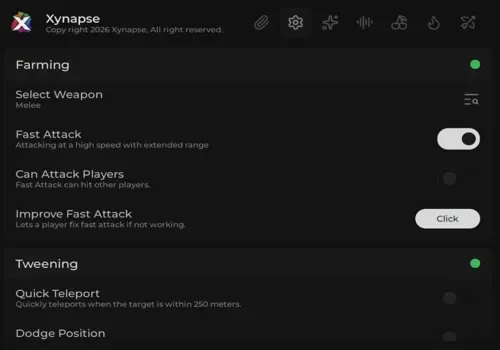
Xynapse Hub used to be one of those scripts people kept coming back to. Right now, the loader stops before the menu with an invalid-key message, so the old keyless experience is no longer what users actually get.
Our check reached a JUNKIE window and then showed Invalid key provided, check key validity or reset HWID!. The menu never loaded, so none of the farming, raid, island, or boss features could be retested.
This error does not prove that the hub now has a permanent key system. It could also come from an expired key, a changed login system, or broken HWID data. What it does prove is that the old NO KEY label is not trustworthy right now.
The developer is still active in Discord, is building a new library for the hub, and is preparing it for Blox Fruits Update 30. That is a good sign, but development posts are not the same as a working public release. Until a fixed loader appears, the old feature list should be treated as a record of what Xynapse offered before it broke.
Join the game, open your Roblox executor, paste the loader, and press Execute once.
If the same invalid-key window appears, leave it. Re-executing the same loader will not magically create a valid key.
Check the official Discord for a new loader or clear key instructions. Do not trust random key links posted by other users.
Use another working hub for now. Come back when the developer releases the new library or confirms Update 30 support.
Is Xynapse Hub still no key? We cannot confirm that anymore. The current loader asks for a valid key before showing the menu.
Can the key error be fixed by resetting HWID? The popup suggests it, but no official working steps were available during our check. Resetting HWID is not a confirmed fix.
Is the developer still working on it? Yes. Discord activity shows work on a new script library and preparation for Update 30, but neither one is a public fix yet.
Should I keep trying the old loader? No. If it shows the same key error, use an alternative and wait for a confirmed update.
This script loads code from an external source. Review the URL and understand what it does before running it in Roblox.
https://github.com/vita6it/Xynapse/releases/latest/download/main.lua


Comments
Loading comments…