BobloScript.com

BobloScript Review

Working during our test

Tested by bebra · BobloScript editorial team · Oct 31, 2026

Test setup: PC · Potassium

Test coverage

All 11 listed features checked

No failures found.

Test notes

Ran on PC with Potassium in a normal public server. Autobuild assembled a complete boat without manual placement, and the launch itself stayed a manual step. Farming kept collecting during runs, the triggered-action entry fired on demand, and the market, player tools and module panels opened as expected.

This reflects one test at a specific point in time, not an ongoing guarantee. How we test scripts

Description

Autobuild, farming and the utility panels load together, but autobuild unlocks on its own while everything else opens straight away. Below is how the parts sit around a normal build-and-sail run and which order to open them in.

Autobuild

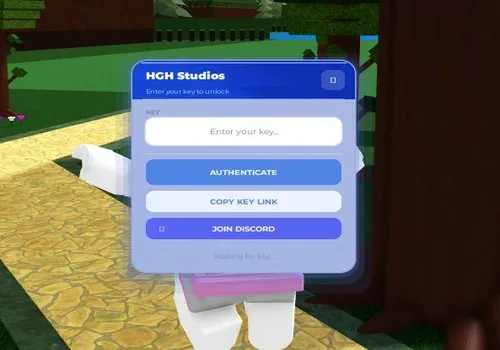
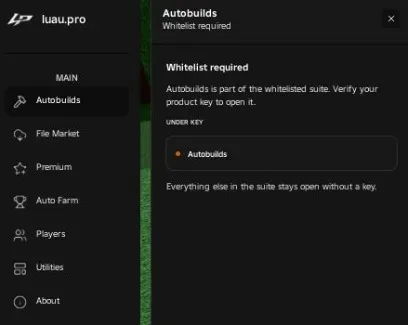
Autobuild assembles the structure for you instead of you stacking and welding blocks by hand. It is the one panel that stays locked until the product key is entered, which means you can leave it closed and still use the market, the player tools and the module loader. The practical order is to build with it, look the result over, then launch the boat yourself — assembly and the run stay separate steps.

Farming and triggered actions

Farming covers resources and experience and is meant to run alongside a stage rather than replace the building step. The triggered-actions entry is the narrower version: it fires one specific automated step on demand, so use it when you want a single behaviour without the whole loop running in the background.

Market and modules

The market lists script files you can browse and download, and the module loader pulls additional modules into the current session. Both extend what the suite can do and neither touches the autobuild or farming settings you already have, so they can be opened mid-session without resetting your setup.

Player tools and account options

The player panel shows who is in the server and gives you management options over them, and the premium entry handles account-level features. Neither is part of the build loop, so leaving both closed during a run changes nothing about autobuild or farming.

Order worth following

  1. Load the script and check the info entry so you know which build you are running.

  2. Enter the key for autobuild, then build and inspect the boat before launching.

  3. Start farming once you are in a run, and keep triggered actions for individual steps.

  4. Open the market or module loader between runs, so nothing changes while you are mid-stage.

Testing was done on PC with Potassium.

  • Automatically builds structures in the game
  • Locks the autobuilds feature behind a product key
  • Allows access to other suite features without a key
  • Opens a market to browse and download script files
  • Unlocks or manages premium account features
  • Automatically farms resources or experience
  • Provides tools to manage or view other players
  • Opens a menu of general-purpose tools
  • Shows information about the script
  • Triggers specific automated actions
  • Manages or loads additional script modules

Developer tested with

Windows

  • Isaeva
  • Lynx
  • Madium
  • Potassium
  • Real
  • Sirhurt
  • Synapse Z
  • Velocity
  • Volt
  • Wave

Android

  • Delta
  • Vega X

iOS

  • Delta

macOS

  • Macsploit
  • Opiumware

Doesn't work

Windows

  • Solara
  • Xeno

Screenshots

1 image

Script Code

Raw Code

This script loads code from an external source. Review the URL and understand what it does before running it in Roblox.

https://luau.pro/loader

loadstring(game:HttpGet("https://luau.pro/loader"))()
Latest changeScript published11h ago

Comments

Loading comments…